Automated Text Messages for Business: Practical Workflows, Setup, and Strategy
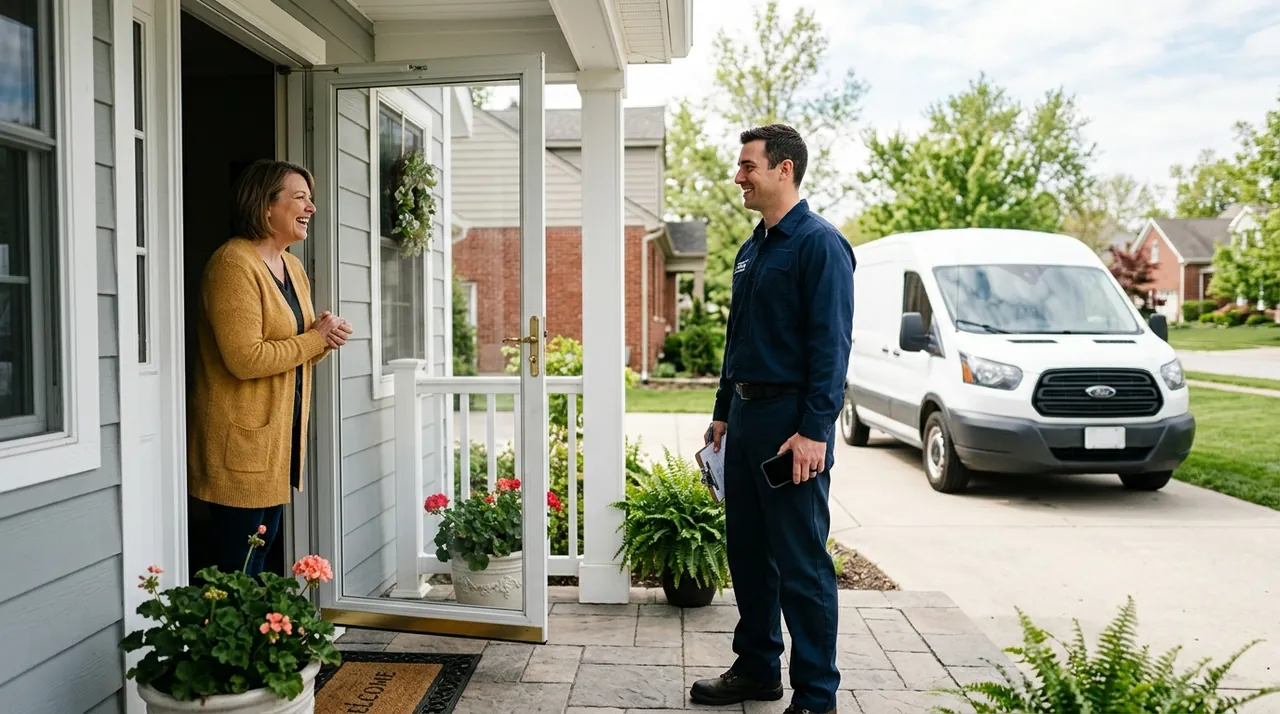
Automated text messages for business are event-driven or scheduled mobile communications sent directly from your software to customers without manual staff intervention. When connected to your customer relationship management (CRM) database, dispatch software, or phone system, these automated texts handle routine touchpoints like appointment confirmations, dispatch tracking, instant lead follow-ups, and payment notices. Instead of team members spending hours playing phone tag or watching emails sit unopened in spam filters, automated texting delivers critical updates straight to the device customers check all day.
For service companies, retail operators, and professional practices, implementing automated text messaging transforms daily operations. It removes administrative drag, keeps dispatch schedules full, and creates a responsive customer experience that matches modern expectations.
Key Takeaways
- Automated text messages work best when tied to concrete operational triggers, such as form submissions, calendar updates, and status changes in your CRM.
- Operational text messages focused on logistics and service updates deliver immediate value and encounter far less customer friction than bulk promotional broadcasts.
- Two-way messaging capabilities are vital; automated notifications must offer a clean handoff to staff or an intelligent conversational interface when customers reply with questions.
- Compliance is mandatory: every business sending automated texts must follow federal consent rules and register with mobile carrier registries to avoid message filtering.
- Starting small with high-impact touchpoints—such as missed-call text-backs or appointment reminders—produces measurable operational gains within days.
The Operational Value of Business Text Automation
In conventional office environments, staff members lose hours every day to repetitive coordination. Receptionists call clients to confirm tomorrow's calendar slots. Dispatchers phone homeowners to say a technician is forty minutes away. Sales reps dial new leads who filled out a web inquiry, only to reach voicemail.
This friction costs money in payroll, lost time, and lost revenue. A customer who reaches voicemail often calls the next business on the search results page. A customer who forgets an appointment leaves a technician idle and an hourly slot unpaid.
Automated texts cut through this noise because consumers treat their messaging inboxes with urgency. Consumer acceptance has reached historic highs, with research indicating that 85.6% of consumers have opted in to receive text messages from businesses.[1]
When integrated into your existing workflow automation for small business, text triggers convert sluggish communication pipelines into immediate, closed-loop interactions.

Manual OutreachStaff spend hours dialing clients and leaving unreturned voicemails.
Automated TextingAutomated reminders prompt clients to confirm or reschedule with one tap.
Manual OutreachTechnicians manually call while driving, leaving vague four-hour arrival windows.
Automated TextingTriggers send real-time departure notices and tracking links automatically.
Manual OutreachUnanswered callers hang up and immediately contact a competing local provider.
Automated TextingInstant auto-replies engage callers by text to capture details immediately.
Manual OutreachBilling staff chase overdue invoices through easily ignored emails.
Automated TextingDirect payment links sent to phones encourage same-day invoice settlement.
Operational Notifications vs. Promotional Broadcasts
Businesses often confuse operational text automation with promotional marketing campaigns. While both use carrier networks, they serve distinct operational purposes, carry different customer expectations, and face different regulatory scrutiny.
| Attribute | Operational Automated Texts | Promotional Text Campaigns |
|---|---|---|
| Primary Objective | Complete a transaction, confirm logistics, or deliver urgent updates | Generate inbound demand, announce discounts, or promote offers |
| Trigger Source | System events (form fill, status change, missed call, payment due) | Scheduled marketing calendar or segment broadcast |
| Customer Expectation | High utility, expected, timely, and transactional | Selective interest, promotional, potentially intrusive if frequent |
| Two-Way Interaction | High likelihood of direct questions or logistical replies | Low expectation of direct dialogue; primarily link clicks |
| Opt-In Requirement | Implied or transactional consent based on service relationship | Strict express written consent required prior to broadcast |
| Unsubscribe Sensitivity | Very low when messages remain strictly informational | Higher churn rate if message cadence exceeds customer tolerance |
Operational texts solve communication problems your customers actually care about: knowing when someone will arrive, confirming where they need to go, and receiving a receipt. When you keep the focus on utility, engagement rates remain high and opt-out rates stay minimal.
5 High-Impact Automated Text Workflows for SMBs
Deploying automated text messages does not require rewriting your entire technology stack. The most successful implementations target high-friction points where manual delays create operational chaos.
1. The Missed-Call Auto-Response
When a customer calls your office during lunch or after hours and receives no answer, their immediate reflex is to call your competitor. A missed-call text-back instantly sends an automated reply: "Sorry we missed your call! We are assisting other clients right now. How can we help you today?"
This single workflow turns a dead phone tree into an active text conversation. Pairing this workflow with an AI phone answering service or an AI receptionist for small business ensures that calls outside operating hours are either captured via voice or redirected to a responsive text thread without losing the lead.
2. Multi-Stage Appointment Reminders
Empty appointment slots destroy margins in medical practices, law firms, salons, and home service trades. Manual reminder calls take too long and are frequently ignored.
A reliable three-step reminder sequence eliminates no-shows:
- Booking Confirmation: Sent instantly upon scheduling with date, time, and service location.
- 48-Hour Confirmation Request: "Hi [First Name], confirming your appointment with [Company] on [Date] at [Time]. Reply 1 to Confirm or 2 to Reschedule."
- 2-Hour Arrival Notice: A brief reminder providing arrival instructions, gate access guidance, or parking tips.
If the customer replies "2," your CRM can flag the record and ping a dispatcher to offer the vacated slot to a standby list.
3. Field Service Dispatch and ETA Alerts
Few things frustrate residential or commercial clients more than wide four-hour arrival windows. Automated dispatch texts keep customers informed without requiring technicians to manually text while driving.
When a technician changes their job status in software like Jobber or ServiceTitan to "Traveling," the platform automatically fires a text: "Your technician, Alex, is en route to your property. Estimated arrival time is 1:45 PM." Many platforms allow tracking links, so the homeowner can monitor the vehicle's progress on a map.
4. Automated Invoice and Payment Reminders
Chasing late receivables strains cash flow and burdens bookkeeping staff. While accounting software can send billing emails, invoices frequently slip into promotional folders or get buried.
Sending an automated payment link via text message yields faster settlements: "Hi [First Name], your invoice #[Number] for [Amount] is ready for review. Click here to view and pay securely: [Link]." Follow-up triggers can send a gentle notification on the due date and another three days past due, routing customer questions straight to your billing department.
5. Post-Job Reviews and Quality Follow-ups
Local reputation dictates search visibility and inbound demand. Instead of asking technicians to solicit reviews in person, automate the request twenty minutes after a work ticket closes in your field service or point-of-sale system.
A short message works best: "Thank you for choosing [Company] today! How was your experience with Alex? Let us know here: [Review Link]." If an issue occurred, customers can reply directly to the thread, giving management an opportunity to resolve the complaint before a negative public review is posted.

Technical Architecture: How Text Automation Works
To build a dependable text automation engine, businesses rely on a three-tier architecture: the data trigger, the logic engine, and the delivery gateway.
[Core Business System]  -->  [Automation / AI Engine]  -->  [Carrier Network]
(CRM, Jobber, Stripe)       (Zapier, HubSpot, AI Agent)     (A2P 10DLC Gateway)
         ^                                                           |
         |---------------- Inbound Reply Loop -----------------------|
- The System of Record: This is your CRM (such as HubSpot or Salesforce), industry-specific software (such as ServiceTitan), or ecommerce platform (Shopify). It stores customer contact records and tracks status changes.
- The Automation / Logic Layer: Tools like Zapier, Make, or built-in workflow modules evaluate incoming data. When a status changes—such as an order marked "Shipped" or an intake form marked "Received"—the logic layer verifies conditions (for example, checking that the customer has provided opt-in consent and that the current time is within waking hours) before generating the message payload.
- The Messaging Gateway: Application-to-Person (A2P) providers, such as Twilio or specialized business texting platforms, receive the API payload and route the message through mobile carriers to the customer's phone.
- Inbound Reply Handling: A critical and often overlooked component is the return path. When recipients reply, the system must either route the message to a unified team inbox or pass it to an AI chatbot for customer service to handle common inquiries before escalating to staff.
Legal Compliance: TCPA and A2P 10DLC in the United States
Sending automated text messages to mobile numbers is strictly regulated in the United States. Before deploying automated workflows, businesses must address two key regulatory frameworks: the Telephone Consumer Protection Act (TCPA) and carrier-mandated Application-to-Person 10-Digit Long Code (A2P 10DLC) registration.
The TCPA requires businesses to obtain proper consent before transmitting automated messages. For operational and transactional messages, prior express consent is generally established when a customer voluntarily provides their phone number during a service transaction. For promotional marketing messages, strict prior express written consent is required. In all cases, every message thread must honor standard opt-out keywords (such as STOP, CANCEL, or UNSUBSCRIBE) immediately and automatically. Furthermore, US carriers require businesses transmitting texts over standard local numbers to complete A2P 10DLC registration, which involves vetting your business tax ID, providing sample messages, and registering explicit privacy policies. Because rules and carrier penalties shift over time, business owners should review their communication workflows and opt-in disclaimers with qualified legal counsel.
Practical Steps to Implement Automated Text Messages
Setting up automated texting does not require months of software development. Follow these steps to implement a clean, reliable workflow:
- Map Communication Bottlenecks
Identify repetitive phone tasks and staff time sinks like missed calls and manual appointment reminders.
- Select Software Tools
Choose between native CRM texting features and dedicated messaging platforms that integrate with existing workflows.
- Register With Carriers
Submit your business details and opt-in policies for 10DLC registration to prevent message filtering.
- Draft Concise Templates
Write direct messages under 160 characters with clear company identification and mandatory opt-out instructions.
- Set Escalation Rules
Route customer replies to shared team inboxes or automated tools so responses never go unhandled.
Step 1: Map Your Manual Communication Gaps
Examine where your team spends excessive phone time. Ask your dispatchers, sales reps, and front-desk staff:
- How many calls do you make each week just to confirm upcoming appointments?
- How long does a web lead wait before an agent initiates contact?
- How often do field technicians call clients to deliver basic arrival updates?
Select the single most expensive bottleneck as your pilot project.
Step 2: Select Your Tooling Approach
Small businesses typically choose between two software setups:
- Built-in CRM Texting: Platforms like HubSpot, Jobber, and ServiceTitan offer native text automation. This is the simplest path because customer records and trigger events already live inside the same database.
- Dedicated Messaging Platforms: Software like SimpleTexting, MessageDesk, or TextUs paired with integration tools like Zapier. This path offers advanced inbox collaboration and multi-channel routing if your primary CRM lacks built-in two-way texting.
Step 3: Complete Carrier Registration Early
Do not write message copy until your A2P 10DLC profile is submitted. Registration approvals can take several days or weeks depending on carrier backlogs. Submit your legal entity details, website URL, opt-in mechanism screenshots, and privacy policy upfront to prevent carrier filtering when your campaigns go live.
Step 4: Draft Clear, Compact Templates
Text messages must respect the 160-character single-segment limit whenever possible. Keep language direct and functional:
- Identify your company immediately.
- State the purpose in the first sentence.
- Include a single call to action or link.
- Include mandatory opt-out language on the first automated interaction (e.g., "Reply STOP to cancel").
Step 5: Establish Clear Escalation Rules for Inbound Replies
Never send automated messages from an unmonitored "no-reply" number. When a customer receives a text saying their car is ready for pickup, their natural reaction is to text back: "Can I pick it up tomorrow morning instead?"
Configure your messaging software so incoming replies route to a shared dashboard in Slack, Microsoft Teams, or your CRM. If staff cannot monitor the inbox continuously, implement automated response routing to provide basic answers and notify an on-call representative for urgent matters.
Common Pitfalls to Avoid
While text automation accelerates workflows, poor execution can alienate customers and damage your sender reputation.
- Sending Outside Local Business Hours: Automated triggers can misfire. If an online order or database sync occurs at 2:00 AM, an unconstrained workflow might send an immediate alert that wakes the customer. Build logic gates that queue transactional texts to send only between 8:00 AM and 8:00 PM in the recipient's local time zone.
- Over-Communicating: Sending an email, a text, and an app push notification for the same trivial event causes notification fatigue. Reserve text messages for timely, action-oriented updates.
- Failing to Track Message Segments: Standard text messages are billed in 160-character increments. Using special characters, emojis, or excessive template variables can cause a message to split across multiple segments, doubling your per-message transmission fees.
- Ignoring Dead-End Conversations: Customers who reply with nuanced questions must not be greeted with absolute silence. If your system cannot answer autonomously, it should acknowledge the text and give a clear expectation of when a human agent will follow up.
Conclusion
Automated text messages for business eliminate administrative delays, protect operating margins against missed appointments, and provide customers with the immediate communication they prefer. When implemented thoughtfully with clear operational triggers, reliable two-way routing, and strict regulatory compliance, text messaging becomes an essential pillar of your company's daily operations.
To get started, audit your schedule from the past thirty days. Identify how many appointments were missed or delayed due to unconfirmed logistics, and set up a basic automated text confirmation workflow inside your existing calendar or scheduling software this week.
Sources
- SMS Marketing Statistics 2026: Consumer & Business Trends — SimpleTexting, 2026
Frequently asked questions
What is the difference between automated text messages and mass texting?
Automated text messages are typically transactional, triggered individually by specific actions such as a booking, a status change, or a missed call. Mass texting involves broadcasting a single message simultaneously to a large list of subscribers, primarily used for company-wide announcements or marketing promotions.
Can customers reply directly to automated business text messages?
Yes, provided your messaging platform supports two-way texting. Modern business texting tools route incoming customer replies into a shared team inbox, a CRM dashboard, or an intelligent routing engine so staff members can respond without sharing their personal cell phone numbers.
What happens if a customer replies STOP to an automated text?
Under mobile carrier standards and federal regulations, carrier gateways automatically intercept keywords like STOP, UNSUBSCRIBE, or CANCEL. The system blocks future automated messages to that phone number until the customer explicitly sends an opt-in keyword such as START.
Can I send automated text messages from my existing landline or office number?
Yes. Most business texting providers can text-enable your existing landline or VoIP phone number through carrier routing without disrupting your existing voice calling service, preserving your single recognizable business number across both voice and text channels.