AI Phone Answering Service: Practical Guide, Costs, and Setup for Growing Businesses
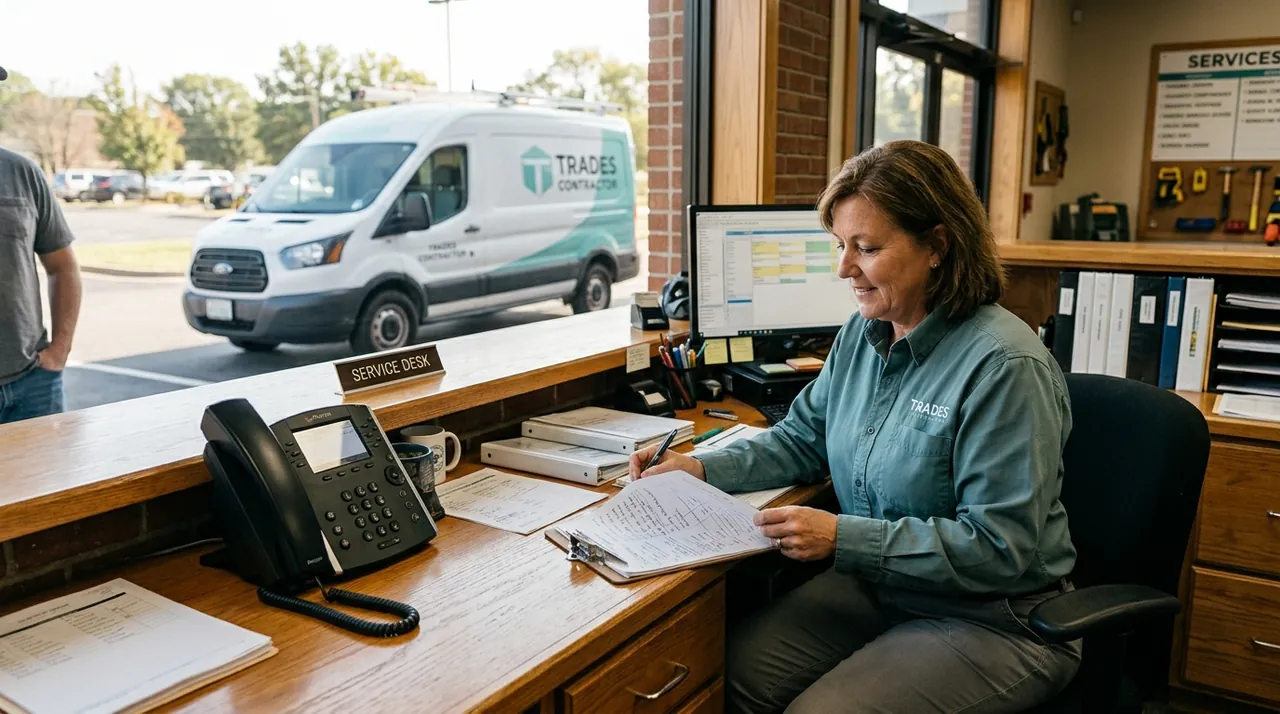
An ai phone answering service uses conversational voice artificial intelligence to answer incoming phone calls, understand spoken caller intent, answer common questions, schedule appointments, and route urgent requests to your staff in real time. Instead of forcing prospects into rigid telephone keypad menus or leaving them stranded in voicemail boxes, modern voice agents hold natural, two-way spoken conversations. For small and mid-sized business owners, this technology eliminates missed revenue from unanswered calls while protecting front-desk staff from repetitive interruptions.
Running operations across retail and service businesses taught me a hard truth early on: if you do not pick up the phone on the second ring, your prospect is already dialing the next business on Google. Phone calls represent high purchase intent, yet staffing a physical desk 24 hours a day or contracting a bloated call center often strains payroll. A well-designed voice system bridges this gap by acting as a tirelessly consistent digital receptionist.
Key Takeaways
- An AI phone answering service handles unlimited concurrent inbound calls, eliminating hold times and busy signals.
- Voice AI connects directly to software like ServiceTitan, Jobber, HubSpot, and Google Calendar to take action, rather than just taking messages.
- Deploying voice automation after hours or as daytime overflow protection allows teams to recapture lost leads without disrupting existing operations.
- Maintaining strict human escalation paths ensures sensitive or complex caller requests still reach your experienced team members immediately.
How an AI Phone Answering Service Operates Under the Hood
Traditional automated phone trees (Interactive Voice Response or IVR) rely on keypad presses ("Press 1 for sales, press 2 for billing"). Callers dislike these systems because they feel rigid, impersonal, and slow. In contrast, an AI phone answering service functions through four interconnected software layers working in milliseconds:
- Automated Speech Recognition (ASR): When a caller speaks, the audio stream is instantly transcribed into text with low latency.
- Large Language Models (LLM) and Natural Language Understanding (NLU): The AI analyzes the transcribed text, identifies caller intent, retrieves business knowledge from your documentation, and decides the next appropriate response or action.
- Tool Calling and API Integrations: If the caller wants to schedule a service visit, check order progress, or verify open hours, the AI accesses your scheduling engine or CRM database via API to perform the task mid-conversation.
- Text-to-Speech (TTS): The generated reply is converted back into high-fidelity, human-sounding speech and played back to the caller, typically completing the loop in under 800 milliseconds.
Because this pipeline operates dynamically, the AI adapts to conversational detours, interruptions, and follow-up questions just like a trained front-desk specialist.
Why Traditional Call Handling Fails Small and Mid-Sized Businesses
Managing inbound call volume presents a persistent operational dilemma for growing companies. During morning peaks or marketing campaigns, calls stack up simultaneously. During slow periods, salaried staff sit idle. When employees are busy helping on-site customers or working in the field, calls inevitably spill over into voicemail.
Voicemail is where inbound sales go to die. Most prospective customers who reach a recorded message hang up immediately and phone a competitor. A large majority of consumers report that they will switch to a competitor that responds faster. When you rely on returning calls hours later, that high-intent lead has almost always found another provider.
Furthermore, only about half of callers to businesses typically speak to a human. The rest encounter unanswered rings, endless hold music, or voicemail greetings. Traditional third-party answering services attempt to fill this void, but human call centers present their own drawbacks: agents juggle hundreds of unfamiliar client scripts, leading to misspelled names, lost details, and delayed message delivery via email.

AI Answering Service vs. Traditional Alternatives
To understand where an AI phone answering service fits into your operational stack, consider how it compares to conventional solutions across key operational parameters:
| Operational Feature | AI Phone Answering Service | Traditional Call Center Service | In-House Front-Desk Staff |
|---|---|---|---|
| Monthly Cost | Predictable per-minute or tier pricing ($50–$300/mo) | Variable per-minute fees ($1.50–$3.00/min) | Full-time wage plus payroll taxes and benefits |
| Concurrent Capacity | Handles dozens of simultaneous calls instantly | Limited by call center staffing; queues during surges | One call per receptionist; rings busy on overlap |
| Availability | 24/7/365 coverage with zero holiday overtime | 24/7/365, often with surcharges for holidays/weekends | Typically 40 hours per week during office hours |
| System Integration | Direct two-way API sync with CRM and booking systems | Manual data entry; emails or texts call summaries | Direct entry into internal software |
| Script Adherence | 100% adherence to defined operational guardrails | Variable; high turnover causes frequent agent errors | High company knowledge; prone to fatigue and distraction |
| Setup Time | Days to configure and test | Several days to weeks for agent script training | Weeks for recruiting, hiring, and onboarding |
Traditional services still have value for white-glove executive concierges, but for high-volume lead qualification and standard scheduling, voice AI delivers greater consistency at a fraction of the operating overhead.
Traditional Call CenterVariable per-minute charges that surge during busy call volume months.
AI Answering ServicePredictable flat monthly tiers or modest per-minute usage fees.
Traditional Call CenterLimited by call center staffing, creating caller hold queues during surges.
AI Answering ServiceAnswers unlimited simultaneous calls instantly with zero hold times or busy signals.
Traditional Call CenterManual message taking with delayed email summaries and disjointed notes.
AI Answering ServiceDirect real-time two-way sync with CRM databases and scheduling calendars.
Traditional Call CenterHigh agent turnover causes frequent errors, misspellings, and missed instructions.
AI Answering ServiceStrict adherence to defined company operational guardrails and validated knowledge bases.
What Workflows to Automate First (And What to Keep Human)
Deploying voice automation does not mean replacing every human touchpoint in your company. The goal is removing friction from high-frequency, low-complexity requests so your experienced team can focus on nuanced client relationships.
Workflows Ideal for Voice AI
- Inbound Lead Qualification and Intake: Capturing contact details, service location, and specific project requirements before logging the record into HubSpot or Salesforce.
- Appointment Scheduling and Rescheduling: Connecting with Calendly, Google Calendar, ServiceTitan, or Jobber to offer real-time availability and confirm bookings.
- General Business Inquiries: Providing instant answers regarding hours of operation, accepted insurance or payment methods, service areas, and pricing models.
- After-Hours Call Coverage: Acting as a professional night and weekend front desk that answers emergency calls, troubleshoots urgent issues, and pages technicians on duty.
Scenarios That Require Human Escalation
- Upset Customers and Complex Escalations: Callers exhibiting high frustration or disputed billing matters should transfer directly to a senior manager.
- Custom B2B Project Scoping: Complex, multi-stage negotiations where pricing requires custom engineering assessments.
- Emergency Dispatch Decisions: Situations requiring physical assessment or liability judgments that exceed defined operating thresholds.
Automating the routine calls directly improves resolution speed across your company. Research from the SQM Group shows that for every one percent improvement in first contact resolution, operating costs are reduced by one percent because agents spend less time providing support.

Step-by-Step Implementation: Deploying Voice AI in 5 Stages
Rolling out an AI phone answering service requires careful system design. Following a structured roadmap prevents customer friction and guarantees data integrity.
- Audit Call History
Review recent phone logs to categorize caller intent and document common questions and factual answers.
- Set Operational Guardrails
Define conversational boundaries, exact questions to ask, prohibited phrases, and fallback rules for uncertain inquiries.
- Connect Core Software
Integrate telephony call forwarding with calendars, CRM records, and automated dispatch notification alerts.
- Configure Transfer Protocols
Establish warm transfer triggers for urgent requests or callers asking to speak with human staff.
- Test and Launch
Simulate edge cases internally, deploy for after-hours calls first, and expand coverage after prompt refinements.
[Incoming Call]
       │
       ▼
[AI Voice Agent]
  ├── Answers instantly (24/7)
  ├── Transcribes & understands intent
  │
  ├── Standard Request? ──► [Executes API Action: Books CRM / Answers FAQ]
  │
  └── Complex / Urgent? ──► [Warm Transfer / Push Notification to On-Call Tech]
Step 1: Audit Your Inbound Call History
Before selecting or building an agent, pull your phone logs and listen to 50 recent incoming calls. Group them by caller intent:
- What percentage are asking simple logistical questions (e.g., location, hours)?
- How many are new customers trying to book an estimate?
- How many are existing customers checking on project status?
Document the exact questions customers ask and the factual answers your team provides. This repository forms the foundational knowledge base for your AI.
Step 2: Establish Narrow Operational Guardrails
When configuring your AI system's instructions, give it clear behavioral boundaries. Instruct the voice agent on:
- Its exact role and conversational identity.
- Specific questions it must ask in sequence (name, callback number, service address).
- Phrases it must avoid.
- Clear fallback instructions: "If you are unsure of the answer, tell the caller you will have a team specialist follow up, rather than guessing."
Step 3: Connect Your Telephony and Operational Tools
Voice AI delivers true ROI when it connects to your existing software. Integrate the voice platform with your core tools:
- Telephony Routing: Set up conditional call forwarding from your VoIP provider (such as RingCentral, Vonage, or Nextiva). You can route calls to the AI after four unanswered rings (overflow mode), route 100% of after-hours calls, or let the AI answer front-line inquiries immediately.
- Calendar and Field Software: Connect read/write API access to calendar slots to prevent double-booking.
- Notifications: Configure automated text messages or Slack alerts that notify your internal team the moment a qualified appointment is booked.
Step 4: Configure Live Transfer Protocols
Never build a phone system without a safety hatch. Define strict transfer triggers: if a caller asks to speak with an employee twice, or mentions specific trigger keywords (such as "emergency" or "cancel account"), the AI should initiate a warm SIP transfer to your designated office line or mobile phone.
If no human staff member is available to pick up the transferred call, the AI should seamlessly recover, collect a detailed voice memo, transcribe it, and text an urgent alert to the on-call manager.
Step 5: Test Internally Before Public Launch
Have your employees call the test number from different mobile devices, simulating noisy backgrounds, heavy accents, and unexpected interruptions. Test edge cases:
- What happens if the caller changes their mind midway through booking?
- Does the system handle spelling uncommon street names correctly?
- Does the appointment appear instantly in your software with the correct time zone?
Once internal tests pass, launch the service exclusively for after-hours calls for one week. Review call recordings daily, refine your prompts based on actual caller interactions, and expand to daytime overflow as confidence grows.
Regulatory and Telephony Compliance Considerations
When deploying automated telephone systems in the United States, your communication workflows must adhere to federal and state standards. If your AI voice agent sends text message confirmations or callback follow-ups, ensure your company complies with Telephone Consumer Protection Act (TCPA) regulations and completes Application-to-Person 10-Digit Long Code (A2P 10DLC) brand registration with cellular carriers. If your business operates in medical or dental services, your voice software and database connections must be HIPAA-compliant to safeguard protected health information. For automated marketing emails generated after a call, adhere strictly to CAN-SPAM mandates. Review all automated calling protocols and privacy disclosures with qualified legal counsel before rolling out client-facing systems.
Conclusion: Turning Missed Rings into Captured Revenue
The fundamental advantage of an AI phone answering service is reliability. While your team is busy delivering services or managing operations on-site, voice automation guarantees that every potential client reaches an attentive, capable voice that answers questions accurately and books appointments on the spot.
A practical first step you can take today does not involve writing code or purchasing software: pull your company's phone records from the past 30 days and calculate your exact unanswered call volume. Multiply those missed calls by your average job value and conversion rate. Once you see the actual revenue slipping through to your competitors, designing an automated voice system shifts from a theoretical idea into an operational priority.
Frequently asked questions
Will callers get frustrated speaking with an AI phone answering service?
Modern voice AI systems use natural speech synthesis and low latency to respond within milliseconds. Callers generally prefer an immediate, competent voice assistant that resolves their request over navigating keypad trees, waiting on hold, or reaching a voicemail box that never gets returned.
How does an AI answering service handle urgent emergencies?
You can configure your AI voice system with custom escalation rules. When a caller mentions specific keywords such as water leak, gas smell, or legal notice, the system immediately initiates a live phone transfer to an on-call team member or dispatches an emergency notification.
Can an AI phone answering service sync with our existing CRM and calendar?
Yes. Most voice AI platforms connect via native integrations or webhooks to common business tools like HubSpot, Salesforce, Jobber, ServiceTitan, and Google Calendar. The system checks availability in real time, writes new client records, and logs complete call transcripts automatically.
What happens if the AI agent does not understand a caller?
Reliable voice agents are built with explicit fallback guardrails. If the system fails to understand the caller's request after a clarification attempt, it politely acknowledges the limitation and either transfers the call to a human staff member or takes a detailed message for immediate follow-up.
How much does an AI phone answering service typically cost?
Most commercial AI voice solutions operate on usage-based pricing or monthly software subscriptions. Monthly plans for small businesses typically range from fifty to a few hundred dollars depending on call minute volume, which represents a small fraction of the cost of hiring additional full-time reception staff.